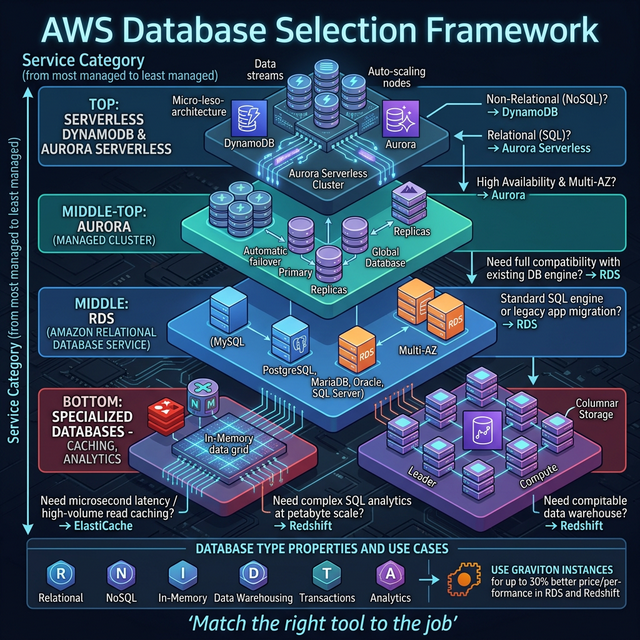
Database Selection Framework
The #1 SA interview question: "Which database would you use?" — here's the decision matrix:
| Requirement | Best Choice | Why |
|---|---|---|
| Relational + complex queries | Aurora (PostgreSQL/MySQL) | 5x throughput of standard MySQL, auto-scaling storage, multi-AZ |
| Key-value, <10ms, any scale | DynamoDB | Serverless, single-digit ms latency, unlimited scale, on-demand pricing |
| Sub-millisecond caching | ElastiCache (Redis) | In-memory, supports complex data structures, pub/sub |
| Data warehouse / analytics | Redshift | Columnar storage, MPP, optimized for OLAP queries on petabytes |
| Document / flexible schema | DocumentDB | MongoDB-compatible, managed, scales to millions of reads/writes |
| Graph relationships | Neptune | Social networks, fraud detection, knowledge graphs |
| Time-series / IoT | Timestream | Purpose-built for time-series with built-in analytics |
| Ledger / immutable | Aurora PostgreSQL + pgcrypto | Verifiable transaction log (QLDB deprecated July 2025 — migrate to Aurora with audit tables) |
| In-memory + durability | MemoryDB for Redis | Redis-compatible with multi-AZ durable storage |
The Decision Tree (Interview Framework)
- Need SQL joins/transactions? → Yes: Aurora. No: continue.
- Simple key-value access patterns? → Yes: DynamoDB. No: continue.
- Need caching layer? → Yes: ElastiCache Redis. No: continue.
- Analytics on large datasets? → Yes: Redshift or Athena (serverless). No: continue.
- Graph relationships? → Yes: Neptune. No: check remaining options.
🎯 Key Takeaway
Interview tip: "I start with the access pattern: if I need complex SQL joins and ACID transactions, Aurora. If simple get/put with massive scale, DynamoDB. For analytics, Redshift. I always add ElastiCache in front for hot data — even a simple cache reduces RDS load by 90%."

